Showing posts with label ipad. Show all posts

Sunday, October 6, 2013

Ios7 Game Center won't go away

I play Scrabble on my iPad and iPhone, mostly with my family through Facebook, which is a blast. One day a year or so ago I somehow hooked Scrabble up to Apple's "Game Center". Almost instantly this turned into a pain in the neck with popups and logins and messages every time I tried to play Scrabble. What was worse is the dialog that would ask every time I opened Scrabble if I wanted to disable Scrabble from Game Center (something along those lines). I would answer yes yet it kept coming up every time. 

This continued into iOS 7. There are new ways to remove Scrabble from Game Center. But the changes somehow reverse themselves every restart. We'll I've finally figured out a way to at least stop it from bothering me, with the help of the following link:


Basically it's as simple as logging out of Game Center and then disabling all the possible options in Notification Center for Game Center. This of course affects a lot more than Scrabble. A price I'm willing to pay until Apple fixes Game Center. 

Wednesday, October 31, 2012

IOS Garageband tips

Here’s a couple of things I wish I had known earlier…

  • Turn off velocity sensitity to fix snare drum volume issue.

  • Turn the bar count to automatic for a section so that it doesn’t cut you off at 8 when recording with a mic.

  • Shake to get the undo button to come up.

And an issue with my preferred guitar input, the iRig, and GarageBand on the iPad 3:

https://discussions.apple.com/thread/3836528?start=0&tstart=0

It doesn’t sound like there is a fix, so it may be necessary to abandon the iRig – here are some alternatives mentioned:

http://www.sweetwater.com/store/detail/MobileIn/
http://www.ikmultimedia.com/products/stealthplug/

Monday, October 15, 2012

Microsoft shoots self in foot AGAIN

“Hey I’ve got an idea, let’s release an amazing new music service, and completely shun our biggest user-base and our most popular product!” (not an actual quote, just a dramatization)

This is Microsoft’s idea of how to roll out a new music service – don’t offer it to the hundreds of millions of users of their current flagship consumer PC operating system, Windows (7).

Or here’s another great idea, make it first available on your game console (XBOX). Who listens to music while they are trying to play a game or watch TV (and I don’t mean watch TV through the XBOX)? Oh but there’s an additional $60 per year charge to listen to music on your game console versus other platforms.

How do they come up with this stuff? This is a clear case of management by committee. Straight stupid. When they force me off my Zune subscription with the 10 songs to keep per month, I’m going straight to Spotify with my money.

Monday, October 1, 2012

Sync Nirvana has been achieved

Longtime readers of this blog will know that I have a focus on, and a personal interest in, PIM (personal information management). And while I've made a lot of progress the last couple of years in getting my PIM solution defined, the one missing piece has always been that I was unable to create new calendar entries that had alerts (reminders), using my preferred alerting method (which is a series of emails from Google Calendar), except by using the "full" (desktop) version of the Google Calendar web page.

I couldn't (get entries with preferred reminders) in the iPhone calendar app. I couldn't in Microsoft Outlook on the Windows desktop. I couldn't in the mobile Google calendar page.

But let me summarize my PIM solution so that you have the context. It's a triangle with 3 corners.

First corner: Outlook runs on the desktop for calendar, contacts, and email when I am there. It also provides another key component - backup of the cloud. Many folks are learning the rashness of not keeping a local copy of what is in the cloud. The company goes under, or the servers go down, or your account is compromised or deleted or locked out, and you are done. But not if you have a local backup.

Second corner: Google is my current cloud PIM solution for calendar, contacts, and email. They have highly functional and efficient web-based clients to fill every gap. They have mature API's and robust standards support.

Third corner: iPhone/iPad is my mobile client of choice. Apple has a unique focus on the user. They understand the toaster paradigm (people don't want to configure drivers, manage updates, and reboot their toaster, they just want to push a button and make toast). Apple's products, for the most part, strive to get out of the way and let you do what you came to do.

I should note here that I do not try to add iCloud as another cloud provider. It might be possible, but it doesn't make sense to make things more complicated than necessary. I do think the interesting thing with iCloud is it is vertical integration (it's for Apple products) and thus will always tend to lead to insularity rather than homogeneity, which goes against the whole point of the cloud in my opinion. Very interesting to me.

The coolest part of the triangle is getting them all syncing back and forth. That means a change on any one is replicated on both the other corners. And this has to be "non-rickety" - adding a phone number to a contact on one platform can't cause the email address to go away on another.

I actually bought a product to take care of syncing Google to Outlook, after a long period of research and trial and error. I'd prefer something from Google or Microsoft, but alas. The product I bought is gSyncit  (http://www.fieldstonsoftware.com/software/gsyncit3 ).

I use a host of connections on the iPhone to sync back and forth with Google. In fact I use a different one for each of mail, calendar, and contacts. I use "Exchange” account for contacts, “Other” (Pop/Smtp) for email, and the “Gmail” account for Calendars. Actually it was moving to that last one that is part of the final fix. More on that in a minute.

pim

Note in my diagram that the last connecting line (between Outlook and the iPhone) is grayed out. I am not syncing these two because Google takes care of that. I could do a sync with either iTunes or with iCloud directly between them, but I don’t see the benefit at this point.


Some other miscellaneous parts of my PIM solution follow:

TYPE SOLUTION COMMENTS
Notes Evernote The notes are in their cloud, and Evernote has desktop, iOS, and web clients which all sync with their cloud.
Notes OneNote Second choice, but I'm evaluating it because it is more accepted in business and now has an iOS client and can sync to the MS cloud Skydrive.
Tasks Toodledo Tasks on their website, and there is a web client and iOS clients. Prefer the organization over Remember The Milk. I'm not currently syncing tasks back to the desktop, but I just read that gSyncIt has expanded to Toodledo (and Evernote and a mess of others).
Passwords/Bookmarks eWallet No cloud yet, but they have wifi sync between the desktop and iOS clients, very secure, supports many types of information.
Passwords/Bookmarks Lastpass/Xmarks For bookmarks and passwords associated with websites, this can be more easy to use on the desktop, because they integrate with the desktop browser. Not as easy to use on iOS, but they do have apps.
Music Zune I have Zunes still and use Zune software and the subscription service.
Podcasts Zune  
TV/Movies misc I use Netflix and Hulu and Amazon and iTunes for TV and Movies. There’s still a lot of innovation to come in this category.
Pictures/Videos na I keep all of these local, and back them up. I use explorer to get them off the iPhone. I don’t sync them around.
Backup iDrive offsite file backup


Ok, finally on to the topic in the title. How did I finally discover a way to create calendar entries with my preferred email reminders on something other than the desktop version of Google calendar?

Like I said above, the first key is switch from whatever iPhone account you are using for Google calendars (probably Exchange) and use Google Sync (listed as “GMAIL!” in add accounts). Google Sync will use your default reminders set in Google calendar if you don’t add them in iPhone. This was a revelation. I found out about it here - http://productforums.google.com/forum/#!topic/mobile/sxF0iQs7bR4 . As noted in that forum though, this breaks multiple calendars, which is a problem as that is how I follow the rest of the family. They point you to the following URL http://www.google.com/mobile/sync/ with some instructions - http://www.knowliz.com/2009/02/how-to-sync-multiple-calendars-with.html but that didn’t work for me, my other calendars never showed up. Then finally I found - http://support.google.com/calendar/bin/answer.py?hl=en&answer=151674&topic=13950&ctx=topic which lead me to https://www.google.com/calendar/iphoneselect . I was able to successfully add my other calendars there, and have them show up on my iPhone.

So finally, after literally years, my PIM search is done. Only remaining question is, how long with this fragile peace last?

Monday, April 9, 2012

iPad3 Cases

Anybody else cursing Apple for all the secrecy? Sure it makes for a splashy product launch. But all the accessory partners have to wait until the retail device starts selling TO BEGIN DESIGNING new companion products. So there’s nothing for months as we have to wait for the whole process including manufacturing and getting the product to retail.

So here I am with this great new iPad3 (yes I know the deal with the name, think of it as an alias). I don’t want to touch it, or take it anywhere, because of the lack of case. I’m bound to either drop it, or spill caustic sauce of some kind on it.

Things are worse this cycle, because the outer dimension changes were miniscule. That means that many of the ipad2 accessories almost fit. I ruined an iPad2 screen protector trying to get an iPad2 case on the iPad3.

In fact I tried several iPad2 cases, and the difference makes a difference. So buyer beware. I’ve been holding out buying any more cases until the iPad3 cases come out, until last night. I had a chance to actually go to Best Buy http://www.bestbuy.com where I could “touch before I buy”. All the iPad2 cases are labeled “works with New iPad”. It’s literally a sticker that they slapped on them.

But I found a case that meets my needs. The specific quality that’s important to me and hard to find, is a case that protects the sides completely, all the way up onto the screen, without messing up the screen protector or adding a ton of bulk and weight. The trend lately seems to be to protect the back and just barely come up around the corners. I had such a case for my iPad2, and the iPad got dented when it dropped on a corner.

The case I found is the Griffin Elan Folio Slim http://store.griffintechnology.com/elan-folio-slim . It’s a folio (cover folds around like a book). The magnetic off, in fact, does not work, but that is not important to me. It has serious side protection and even protects the face by being raised on the edge of the face, plus there’s an actual tuck-in tab where the iPad is inserted, which most do not have. Yet it does not make the iPad feel appreciably heavier or bigger. The case looks like leather, with a microsuede interior, but according to the documentation it’s polyurethane. It has a built in landscape stand.

I’m actually pairing this case with a Amazon sleeve bag http://www.amazon.com/AmazonBasics-Netbook-10-Inch-Netbooks-Touchpad/dp/B002VPE1Q6 for even more protection, as I plan to carry it with me a lot. Besides protection this adds a handle and an accessory compartment.

One piece of advice I could add is to check prices before you buy.

Tuesday, November 8, 2011

Machinarium and iGadget

I've recently finished two iPad games. That's actually a big deal (relatively-speaking).

First off, I don't play many games, as I don't have a lot of discretionary time, and if I did I'd rather write programs than use them.

Secondly, I'm particular about what games I play and I'm also not that good at most games. So if I don't really like it, or it's too hard, I just don't finish, though I have to say that once I'm really playing a game I stick with it, and intend to complete it.

And finally, I suspect that most iOs games are never finished. I'd love to see some numbers on this.

So I finished these 2 games, Machinarium and iGadget, and really enjoyed them. I've been thinking about why. Even though they were vey different from each other, they both put their story, their plot, at the center of the game. In fact they actually sacrificed game play (Machinarium through a built-in cheats system, iGadget by limiting game-play) for the story's sake. A little further and they would be an interactive book.

If you like the sound of that, I'd suggest these two games.

Saturday, October 15, 2011

iOS5 tips – iCloud sync vs Google sync

One of my favorite topics is PIM (personal information management I think) – contacts and calendar basically. Sometimes email and notes and tasks are included. I struggle with remembering things and staying organized like many people, thus the interest.

I’ve written posts before on keeping iOS products in sync with desktop and web PIM tools, the challenges of cross-platform, etc. Challenges there had settled down lately with the maturity of Google’s products, and the ubiquity of Exchange sync.

Now iCloud comes roaring into town, packing heat and looking to have a showdown. This is actually my biggest “head-scratcher” with iOS5 right now. How do I either make them play nice, or choose between them? There’s still lots of “dorking” to be tried, but so far it looks like playing nice is not a realistic option.

I’m not alone in this conundrum. Here’s a small sampling of other people who are asking the same questions:

Thursday, October 13, 2011

iOS5 tips – PC-free install apps

I figured out a workaround to having to reinstall apps from the “Purchased” list! As I mentioned in an earlier post,that is unworkable if you have more than a handful of apps.

It’s hoaky, but hey… here’s what you do – go into iTunes on the PC (I know,I know) and look at your app list there. Then you can more easily see what apps you need to install, and keep your place as you are working through them. When you see one you want, SEARCH for it in the App Store on the iPhone. Then you can use the multitasking to get back to the App Store and one click brings you back to Search for the next one.

iOS5 tips – multiple Apple IDs

Here's a couple of clear explanations of some of the in and outs of multiple Apple accounts with iOS5:

Clean install:

Monday, October 3, 2011

Joby gorillamobile Ori for iPad2

I’ve been waiting impatiently for this one. The Ori iPad case has finally been updated for iPad 2 -

http://joby.com/gorillamobile/ori-2/video

This lightweight aluminum composite thing-a-ma-jig is a case and a stand. Not only do you get a really strong case, but the stand functionality is like nothing else I’ve seen – while other stands only seem to go halfway to being useful, this one gets the iPad where you want it, at angles that save your neck. And I think the price has dropped a little.

Thursday, July 21, 2011

iTunes – Download all free updates

This is in reference to updating the iOS apps in iTunes, irrespective of whether there is an iOS device attached at the time or not.

To update the apps go to the “Apps” item under the Library section on the left of iTunes in the navigation area. Then choose “Check for Updates” from the bottom area of iTunes. If there are updates available there will be a popup, which when clicked, results in iTunes main area showing a page from the iTunes store listing the apps that have updates. In the top right will be a button labeled, “Download all free updates”, which avoids the work of downloading each update individually.

For the last couple of days, roughly 3 or 4, when I click this button nothing happens. But I can still download the updates individually. The only information I’ve found is on an Apple forum, however there is no fix indicated yet. It does confirm that this is happening to other people.

https://discussions.apple.com/thread/3192114?tstart=0

Monday, June 20, 2011

Guitar jacks for iPad iPhone Ipod Touch

I have been using Amplitube’s iRig ( http://www.macworld.com/article/153301/2010/08/guitar_cables.html ) for quite a while with both my iPhone and iPad and think it’s great. It’s well-designed, pretty sturdy, and sounds great. I use it with Amplitube’s own app (basically amp/effect modeling), 4-Track, and now GarageBand. There were a very limited number of solutions for getting audio signals in to the iOs devices when I was first looking, and I’m convinced that iRig was the best choice then, and may still be the best choice.

However the one thing all the cable solutions had in common was connecting through the headphone jack. It looks like Sonoma Wire Works (see links below) has figured out how to connect through the dock port.

http://sonomawireworks.com/guitarjack/

http://iosmusician.blogspot.com/2011/02/new-guitarjack-2-for-iphone-and-ipad.html

And the really cool opportunity that opens up is simultaneous dual input. I assume this possibility exists for recording stereo audio for hi-def video, but for an app like 4-track (or GarageBand?), it means recording two tracks at the same time.

Of course iPhone/iPad audio recording/editing does not come close to a professional recording setup, nor even a good dedicated mobile field recorder. But the maxim from the photography field  applies here as well. “The best camera is the one you have with you”.

Monday, June 6, 2011

iCloud functionality available today

So I found it confusing to figure out what is and what isn’t available today. Here’s what I have been able to figure out:

1. On the iPhone/iPad/Touch – in the “App Store” app, there is a new “Purchased” tab (along the bottom) where you can get any of the apps you have purchased before with your iTunes account, onto your device without syncing with desktop iTunes.

2. On the iPhone/iPad/Touch – in the “iTunes” app, there is a new “Purchased” tab (along the bottom) where you can get any of the music you have purchased before with your iTunes account, onto your device without syncing with desktop iTunes.

Now there is one additional item that was supposed to be available and is not yet, at least for me. That is iTunes 10.3, which will enable similar “Purchased” music (and some book management functionality?) for Macs and PCs.

Wednesday, June 1, 2011

Minority Report swiping for the iPad

The Kinect has opened the door for gesturing. However Microsoft has gajillions of R&D dollars invested in these future technologies. Can a brand new cooking magazine bring it to the iPad?

“Gilt is prototyping a way to use the camera to create “motion-activated recipes.” You would swipe your hands through the air in front of the screen instead of touching it to go through step-by-step recipes”

http://techcrunch.com/2011/05/18/gilt-tastes-ipad-swipe-without-touching/

Wednesday, May 18, 2011

Garmin Mobile 10 GPS receiver no-go on iPad 2

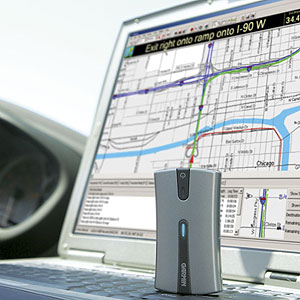
I have a Garmin Mobile 10 GPS receiver from 2007 kicking around that I used to use with Windows Mobile. It’s not a GPS like the one you use in your car. It has no maps or even a software or a screen for viewing location. It simply connects to GPS satellites and passes the information back to a user’s device over Bluetooth.

https://static.garmincdn.com/en/products/010-00579-00/g/cf-lg.jpg

https://buy.garmin.com/shop/shop.do?pID=420

My version 1 iPad had GPS built right in. You got that option only if you picked a model that had the AT&T 3G functionality. Which is kinda weird because I never turned the 3G on the whole time I had it, and the GPS always worked fine without it (over WIFI/Mifi).

When I got an iPad 2 I decided to forego 3G (and thus internal GPS) as I never ended up using the 3G on the first one. I decided I could live without the “big-screen” GPS.

Not long ago I ran across some indications on the web that the iPad actually supported Bluetooth GPS. This was possible before with jail-breaking but I wasn’t interested in that. But there are actually 3 bluetooth GPS receivers that seem to work with the iPad:

There’s some good info on all 3 here:

 http://aviationmentor.blogspot.com/2011/02/gns-5870-bluetooth-gps-for-ipad.html

However all references also mention an Apple certification program.  I can’t find any information about the certification program on Apple’s site, but I did find a document listing bluetooth profiles supported:

http://support.apple.com/kb/HT3647

Since I had the iPad 2 without GPS and I had the Garmin 10, I thought it wouldn’t hurt to try and see if they could connect over Bluetooth. It’s not clear to me if the built-in “Maps” app could actually use the Bluetooth GPS, but I could at least see if I could get the Bluetooth pairing to happen, then worry about map software later. Unfortunately they do not pair. I tried various resetting and rebooting options, and nothing helped. I’ve used the Garmin 10 with multiple devices in the past including phones and laptops and PDAs, so I know it is somewhat complaint with the Bluetooth spec. Thus I’m guessing that Apple is the villain here, and the certification involves proprietary extras. Bummer. But I thought I would post it here to help others avoid wasting time or money on this. And hopefully if something changes or somebody finds a way around the issues (which doesn’t involve jail-breaking) I’ll hear about it as well.

Thursday, April 21, 2011

Tablets = Convenience

Dunno why this never occurred to me before. I guess I spend so much time trying to push the characterization that tablets are  “content consumption devices” rather than content creation devices down everyone’s throat that the simpler truth got by me.

What I mean is, there’s not a single thing you do on a tablet (consuming all that content) that you can’t do on both your PC and your smartphone. So why do we need the tablet? It fits in a convenience niche. Where the smartphone is a little too small, and the laptop a little too unwieldy, and the e-ink device a little too single-purpose, that’s where the tablet comes in.

You’re in the kitchen using it for recipes, then you carry it with you to the dining room where maybe you use it to read some newspapers with your food. Next it’s to the living room where you look up songs from your favorite TV show, or read the latest bestseller during commercials or even pull up a Netflix movie (with headphones) while the kids are watching Disney channel. In between all these things you’re keeping up with Facebook and Twitter and the latest news via the web.

There’s nothing the tablet does, that we don’t already have. But it make enough things easier and better, to create a value proposition that is selling millions of devices a year.

Wednesday, February 23, 2011

Disney World – personal tech lessons

Turn off windows automatic updates when you go on vacation - especially if you are operating over a mifi. Set a calendar item for when you get home to turn updates back on.

iPad does not work at Disney. You need full laptop at night for entering data, or triaging pictures, or catching up on business, etc. During the day in the parks, you never have a hand for it if you are a camera carrier. The iPhone works better, because it waits in your pocket for that quick moment you need it. There's also the weight, and the extra data plan. I really wanted the iPad's help in the parks - easier to see maps and apps. But I never had a moment where I wanted to fumble it out of the bag, plus worries about the cachet factor and having it stolen. Wanted to make it work, it just didn't. The iPad is a content consumption device. Disney is a theme park. Oil and water.

The Canon SX30IS is am amazing camera for Disney. If you don't have $1000+ for a DSLR, it's the one to get. First off it's wonderfully cheap for what you get. I paid much more for the G10 a couple of years ago. It has amazing zoom, 35X. This is crucial for Disney. Otherwise you have no faces in your pictures. It has great image stabilization, so if you are trying to take a shot while walking or while riding a ride, if it can focus the fact that you are jittering some will make no difference to the final shot. It has a wonderful sports mode with continuous focus and shooting. It does insanely amazing in low light without a flash, which is great as rides don't allow flashes. This camera is the absolute sweet spot for Disney. I even dropped it once with no problems.

Make sure you have lots of storage space for pictures (backing up off sd cards). With camera megapixels ever increasing, it's important to have literally 10-20 Gig free on the hard drive you back up to.

Friday, January 28, 2011

iPhone/iPad database and spreadsheet apps

Well I have been investigating the current state of database and spreadsheet solutions for the iPhone/iPad, for something I have been working on. It's certainly not as dismal as it used to be, but there's still lots of room for improvement.

I'm not going to list all the apps I've taken a look at or considered or not considered because of some missing feature. I just have some general comments to make about the subject.

One thing you see in Apple's apps, that you don't see in everybody else's, is the understanding that usually you are not standing still while looking at the screen. In fact this was one of the big aha moments for me moving from Windows Mobile to the iPhone.

The classic analogy is the yardsale sign, with 30-100 words in magic marker on a piece of cardboard less than two feet square, tacked so it can be seen from the 55 mph highway. It looks great in your house when you draw it up, with the date and times, a phone number, some key items, and the word YARDSALE nice and large. But what you realize when you get in your car and drive by it at 55 mph, is that the sign is much much too small to read even the word YARDSALE. In fact it probably should be twice as large just for those two words on different lines.

This creates a big challenge for doing real data-crunching on a two-three inch screen. Your font is going to be 4 or 5 or 6 in order to get 2 or 3 pieces of data on the screen. Try to read that while walking. Impossible. Apple, idealistic to the end, thus only puts a tiny bit of data in front of you, which works really well. The challenge is to adapt workflow such that you can work efficiently that way. Thus all the database solutions on the iPhone completely eschew tables. Their only interface is the form, where you can look at the fields from one row at a time. The spreadsheet solution give you the tables. But it's like Windows Mobile all over again. You can zoom in and see one cell, or you can zoom out to see the table but the font is illegible.

That being said I will mention a couple of my favorite spreadsheet solutions (as I need table-view). Google docs works just fine on the iPhone, and even offers editing, though the editing interface is a little clunky. But still this is an amazing and free web solution. Documents to Go is not free, and costs quite a bit for the premium version, but if you get that version you can edit Word, Excel, and Powerpoint directly from DropBox. That means you can swap documents back and forth between people and computers and phones. That's pretty sweet.

Wednesday, January 26, 2011

Paul Thurrott’s wakeup call to Microsoft


My favorite Microsoft pundit, Paul Thurrott, attempts to single-handedly put a hook in Microsoft's lip and drag them kicking and screaming into the present reality. If anyone can do it, he can..


http://www.windowsitpro.com/article/paul-thurrotts-wininfo/Microsoft-s-iPad-Response-is-Too-Tepid-Too-Late.aspx


http://www.windowsitpro.com/article/mobile-and-wireless2/Yes-I-Still-Love-Windows-Phone.aspx

Wednesday, November 17, 2010

SPB TV – a working IPTV mobile solution?

http://tv.spb.com
http://www.spb.com/pocketpc-software/tv/
http://www.spb.com/android-software/tv/
http://www.spb.com/iphone-software/tv/
http://www.spb.com/blackberry-software/tv/
http://www.spb.com/symbian-software/tv/
http://www.spb.com/webos-software/tv/

http://www.spb.com/press/pressreleases/2010/spb-tv-reaches-the-2-million-users-milestone-and-comes-to-ipads.html

As a long-time Windows Mobile fan I’m familiar with SPB. They were one of two or three suites of software that really made Windows Mobile useful.

They created this SPB TV for Windows Mobile about the time that I transitioned away to the iPhone, so I never did more than play with it a little. I remember being unimpressed with the channel selection.

However they have parlayed this into something pretty amazing, a cross-platform mobile IPTV solution, if I understand things right.

They have Windows Mobile, iPhone (/iPad), Android, Blackberry, WebOS, and Symbian clients! There’s a WAP version available for other mobile platforms. They have 2 million users now, and over 150 channels.

Even though the clients appear to be free on most platforms, you only get a couple of channels to try out. There’s actually a roughly $10 charge as best I can tell, to get full functionality and content. However there are no recurring subscription fees, instead there are ads.

I’m just getting started in trying it out, so I can’t comment much on quality yet. On Android over wifi I only seem to get a minute or two before the video dies or buffers, but that may not be an app problem.

As I understand they are working on carrier agreements as well, which could play heavily into the long-term viability of the solution.